For owners who use AI every day
The workspace where Claude stops giving advice and starts doing the job.
Invoices chased. Leads answered. Reports ready. Describe the job in plain English, review what Claude builds, and deploy when it is ready.
Start freeNo credit card. 300+ jobs ran unattended last month in the owner's own businesses.
You
"Chase unpaid invoices weekly. Politely."
- Invoices checked this morning 14
- Reminders sent 3
- Paid same day 1
- Waiting on your okay 1 discount
The problem with brilliant
Your AI is brilliant. It just can't do anything.
You ask Claude how to handle the invoice that's three weeks overdue. It writes you a perfect plan. A polite email. Even a follow-up schedule.
Then you do every step yourself.
That's the deal you've quietly accepted with AI: the smartest assistant you've ever had, and it has no desk, no filing cabinet, no task list, no scoreboard. You know you're in this spot if:
- You have fifteen Claude conversations full of great plans you executed by hand. Or never executed.
- Every chat starts from zero. Your AI knows nothing about your business you didn't just paste in.
- A lead fills out your form Friday at 6pm and hears back Tuesday.
- You have a Zapier account that handles the easy 20%, and a mental list of everything it can't do.
- Vacation means the business pauses, because every process routes through you.
None of it shows up as a line item. It shows up as the Friday lead who hired someone else by Tuesday, and the ten hours a week you spend being the system that holds it all together.
SolidActions is a workspace where your AI does the job instead of describing it.
What you can hand off
Real jobs, running right now.
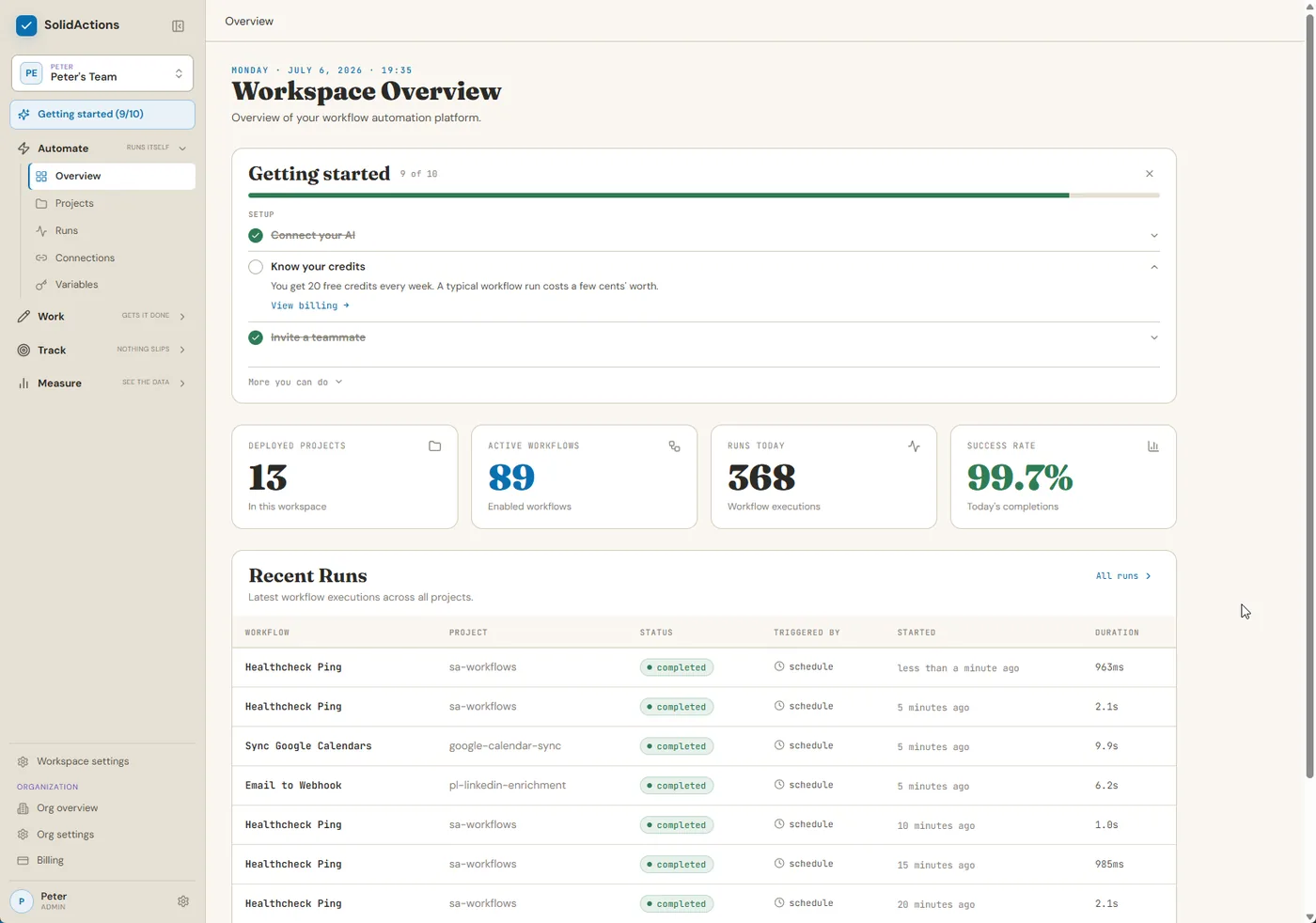
SolidActions is for owners who use Claude every day and are done doing the work themselves. These aren't demos. They're production jobs across an 8-figure company, a portfolio of short-term rentals, and a golf business.
- 100+ runs / mo
Calendars that can't double-book.
Every calendar across every business, synced. Booked time in one blocks all the others. See the implementation and its safety limits.
0 double-bookings - 100+ leads / mo
Every lead, researched before you reply.
A new lead lands in the inbox; the AI finds them on LinkedIn and scores how confident it is in the match.
- 457 stays · 2 yrs
457 guest stays served hands-free.
Two days before every rental guest arrives, their amenities pass is created and they get a message. Nobody has remembered to do it in almost two years. That's the point.
- 82 lookups / mo
A tee-time concierge in Telegram.
"Saturday, 4 golfers." The AI checks ten course websites and replies with what's open.
- nightly
Business data that shows up ready to use.
Sales and rental numbers pulled nightly out of HubSpot and the rental tools, into dashboards the AI keeps current.
Yours might be: an unpaid invoice chased politely every week until it's paid. A quote followed up on day 3, and again the week after. The Friday-evening lead answered in one minute. A discount that needs your okay, where the job waits days and continues the second you answer. A new client onboarded with every step, every time. A review request sent the same day the job wraps.
If you can describe it to a new hire, you can hand it off.
How it works
Describe the job. Approve the result. Done.
Tell your AI what you want.
In Claude Code or Claude Desktop, connected to SolidActions. Plain English: "Chase unpaid invoices weekly. Politely."
The job description is the hard part, and you already know it by heart.
Your AI builds it.
Your part is clicking "connect" on Google, Stripe, or Slack and approving what it made.
If you've ever set up a Zap, you're overqualified.
It runs and reports.
Nights, weekends, vacations. If step 5 fails, it retries step 5 and leaves a note. You get a record of every run.
The first time it fixes its own hiccup, you'll stop checking on it.
The public setup guide shows each connection, authentication, and verification step before you begin.
Why this beats point tools
A real employee has five things your AI doesn't. This is them.
Hands
Automations that run whether or not you're thinking about them.
The owner's wife hasn't thought about guest check-in prep in months. It happens anyway.
A desk
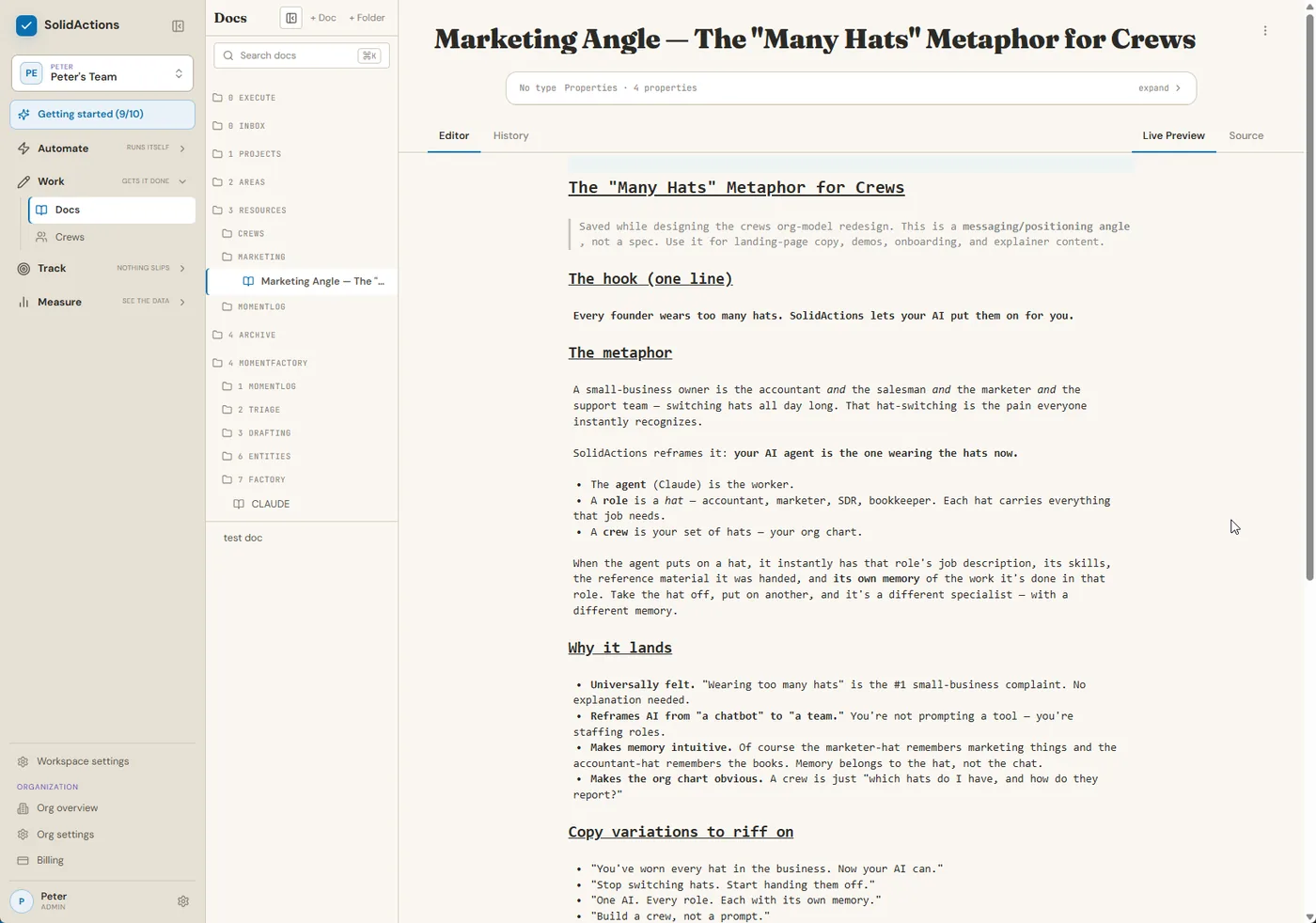
Notes and files your AI keeps itself, organized by company and project. Like Notion or Google Drive, except it's built for your AI to read and write. Fast. It stops forgetting your prices, your customers, your history.
A role
Employees you didn't hire. Give your AI a job description, routines, and its own memory: a Head of Sales that runs the morning numbers, an assistant that triages the inbox and preps your meetings.
The owner's assistant crew gives him back about 10 hours a week.
A task list
Boards your AI reads and writes, with its own notes and its own sense of what's next. Work survives across conversations instead of dying when the chat window closes.
150 tasks and counting completed on the owner's board.
A scoreboard
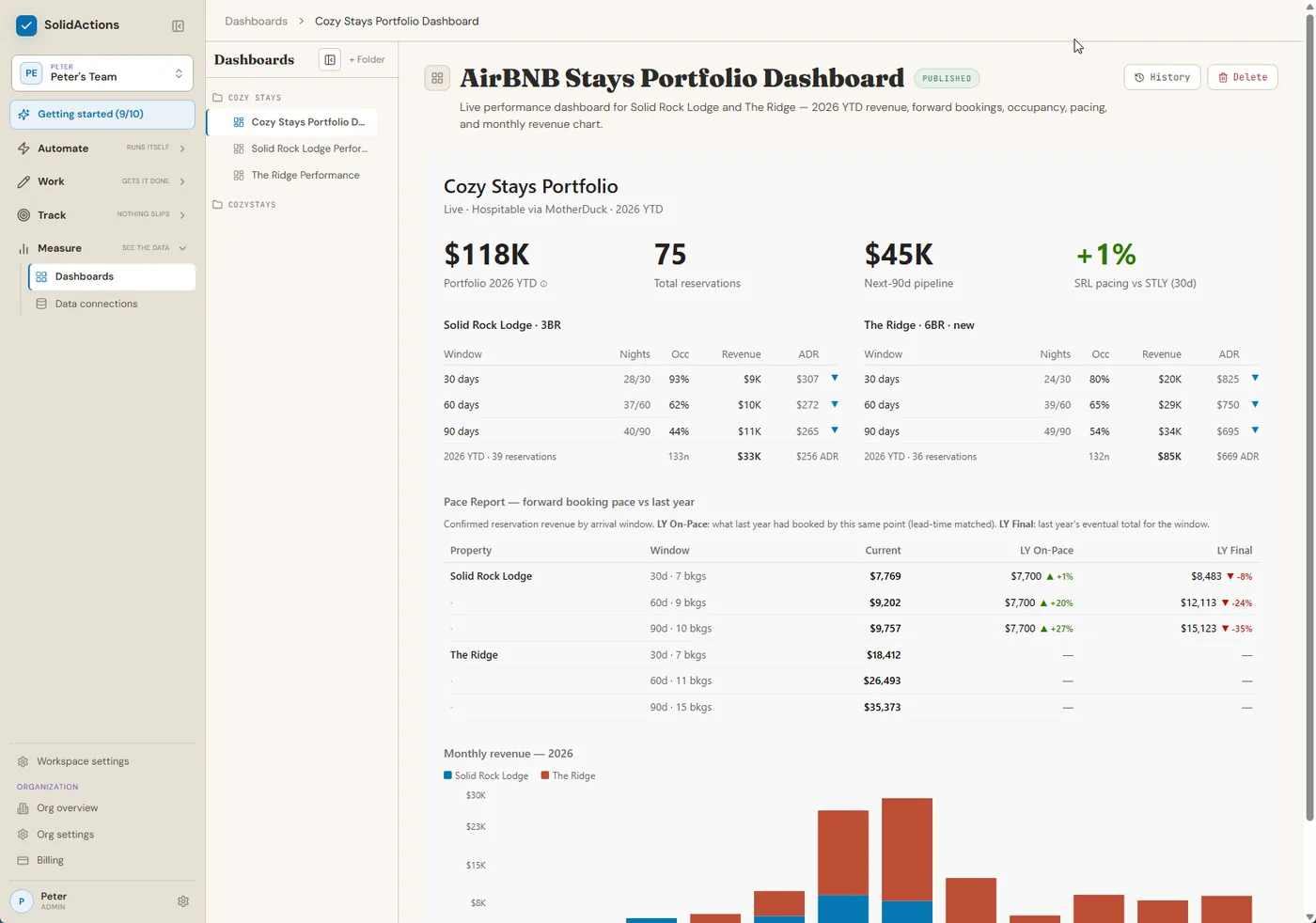
Dashboards your AI builds over your live data. The numbers you care about front and center, not everything your CRM hoards.
Three rental dashboards and the sales boards run on it today.
Point tools give your AI one of these. SolidActions gives it the whole office.
Why it doesn't fall apart
Built to be left alone.
It doesn't lose its place
If step 5 of 8 fails, it retries step 5. Not the whole job, and never silently.
Waiting is free
A job can hold for your answer for days and continue the moment you reply.
Credentials stay out of workflow code
Authorize services separately, then let SolidActions provide the approved connection to the workflow at runtime.
Runs leave a record
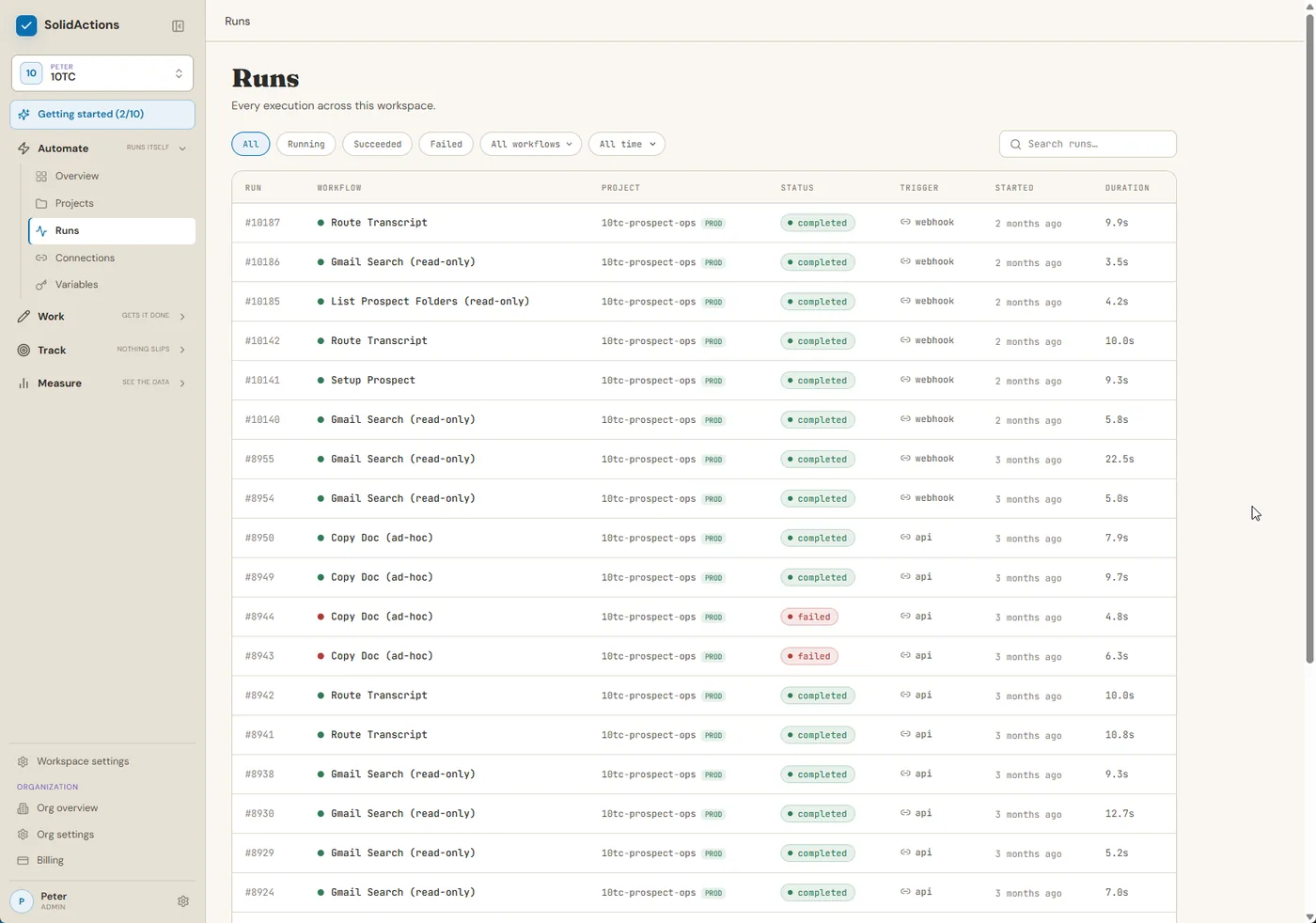
Each workflow run records its status, trigger, timing, and result so failures are visible instead of disappearing.
Coming from Zapier or n8n?
You're exactly who finds this easy.
You already think in triggers and steps. Now stop paying per task, stop babysitting flows, and stop hearing "it can't do that."
See how it compares →Who built it
Built because he needed it.
Peter runs an 8-figure company, a portfolio of short-term rentals, and a golf business. He used AI every day and kept getting homework instead of help. So he built the place where his AI could actually work, and moved his own operations onto it first.
~10 hrs
back per week, from the assistant crew that runs his mornings
300+
jobs run unattended across his businesses last month
457
guest stays served hands-free, almost two years running
0
double-bookings since calendar sync went live
Also last month: 100% completion on calendar sync and lead enrichment, and 3 live dashboards his teams check instead of digging through the CRM.
Workflow source you control
Your workflow source remains in the local project you deploy. Start with one bounded job and keep its source under your control.
Fair questions
The five things people ask first.
"What do I need to start?"
For the hosted workspace tools, use the documented Claude connection and a SolidActions account. Building unattended workflows additionally requires Node.js 24, npm, a terminal, and the SolidActions CLI.
"Which AI do I need?"
The current setup guide supports Claude Desktop and Claude Code. We will name more clients only after their complete hosted-MCP connection flow is verified.
"How technical is this, really?"
Connecting Claude to the guided workspace tools does not require workflow code or a server. Building and deploying unattended workflows currently uses Node.js and a terminal; Claude Code writes the workflow while you describe and approve it.
"Is this another tool I'll have to babysit?"
No. Jobs retry their own failures and leave a note when something needs you. It's built to be left alone. The record of every run is there for when you're curious, not because you have to check.
"Why should I trust it with real work?"
Start with one bounded, reversible job and review its run history. The workflow source stays in the local project you deploy, and the owner runs his own companies on the platform every day.
Start with one job. Make it repeatable.
Pick a bounded task you understand, describe it to Claude, review what it builds, and follow each run in SolidActions. No credit card.
Start freeBuilt by an operator, not a science project. 300+ jobs a month run in his own businesses.